TABLE OF CONTENTS
- Quick Reference
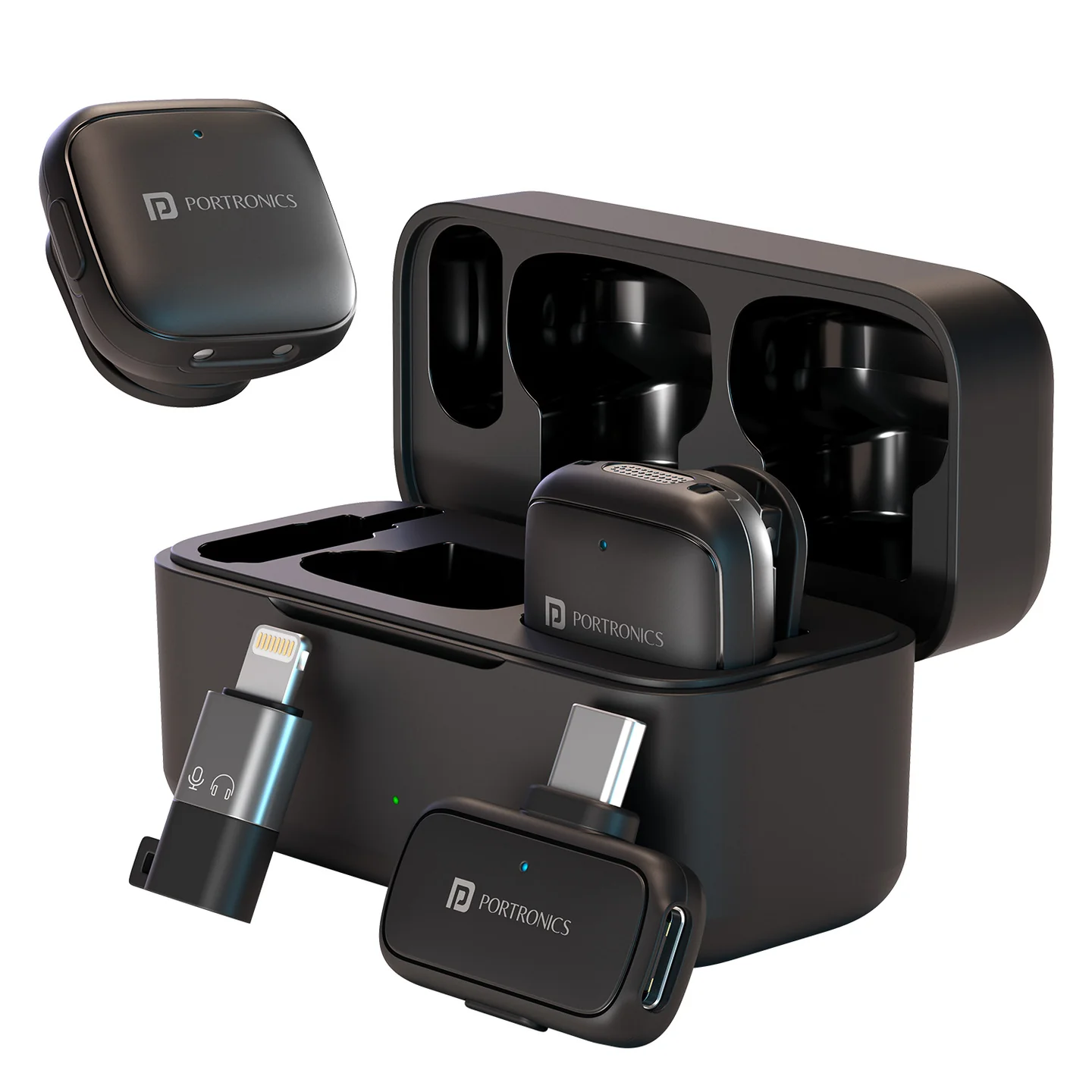
- What's in the Box
- Quick Setup
- Microphone Controls
- Noise Reduction Modes
- Mute Status
- Pairing Status
- Receiver
- Charging
- Charging Case Indicators
- Best Recording Position
- Key Features
- Care
- Still stuck?
Quick Reference
| Feature | Details |
|---|---|
| Product | VlogMate Ultra |
| Type | Intelligent Wireless Microphone |
| Microphones | 2 Wireless Transmitters |
| Receiver | Type-C |
| Wireless Frequency | 2.4–2.48 GHz |
| Audio Frequency | 20Hz–20kHz |
| Latency | ≤25ms |
| Signal-to-Noise Ratio | ≥80dB |
| Pickup | Omnidirectional |
| Transmission Range | Up to 30m in open space |
| Mic Battery | 50mAh |
| Mic Usage Time | Approx. 5 hours |
| Mic Charging Time | Approx. 1 hour |
| Charging Case | 400mAh |
| Case Charging Time | Approx. 2 hours |
| Operating Temperature | 0°C–55°C |
| Storage Temperature | -20°C–55°C |
What's in the Box
| Item | Quantity |
|---|---|
| Wireless Microphones | 2 |
| Wireless Type-C Receiver | 1 |
| Charging Cable | 1 |
| Charging Case | 1 |
| 8-Pin Adapter | 1 |
| Storage Bag | 1 |
| Windproof Muffs | 2 |
| Documentation | 1 |
Quick Setup
Remove both transmitters and the receiver from the charging case.
The transmitters power ON automatically, or hold the MFB for 3 seconds.
Connect the receiver to the phone.
The transmitter and receiver pair automatically.
A solid green light indicates successful connection.
Start recording.
Microphone Controls
| Action | How |
|---|---|
| Power ON/OFF | Hold MFB for 3 sec |
| Noise Reduction Mode | Single-click MFB |
| Mute / Unmute | Double-click MFB |
| Pairing | Power-on pairing mode / MFB |
| Charging | Place in case or use charging connection as applicable |
Noise Reduction Modes
| LED | Mode |
|---|---|
| Green | High-Fidelity Mode (Default) |
| Blue | AI Noise Reduction |
| Purple | Deep AI Noise Reduction |
Mute Status
| LED | Status |
|---|---|
| Red ON | Muted |
| Red OFF | Unmuted |
Pairing Status
Red + blue flashing alternately = pairing mode.
Solid green = successfully connected.
Receiver
The Type-C receiver powers on automatically when connected to the phone. Its LED follows the microphone's LED status. The receiver also supports power delivery to charge the connected phone while the receiver remains connected.
For iPhone/iPad use, connect the Type-C receiver through the supplied 8-Pin Adapter.
Charging
| Component | Specification |
|---|---|
| Microphone | 5V / 80mA |
| Microphone charging time | Approx. 1 hour |
| Microphone usage | Approx. 5 hours |
| Charging case battery | 400mAh |
| Charging case input | 5V / 320mA |
| Case charging time | Approx. 2 hours |
Charging Case Indicators
Transmitter charging: charging icon slowly flashes; icon turns off after 10 seconds.
Case charging: display flashes slowly.
Fully charged case: display shows 100.
Best Recording Position
For best performance, place the transmitter within approximately 20cm of the sound source, such as on the collar.
Key Features
Intelligent noise reduction
Omnidirectional audio pickup
Low latency up to ≤25ms
Dual-microphone simultaneous recording
Compact, portable design
Plug-and-play recording without an app
Care
Keep the microphones and case clean and dry, and avoid exposing them to temperatures outside the specified operating range.
Still stuck?
If the issue persists after performing all troubleshooting steps, please raise a support request.
Our support team will assist you further.
Support
Visit: www.portronics.com
Support Portal: support.portronics.com
Was this article helpful?
That’s Great!
Thank you for your feedback
Sorry! We couldn't be helpful
Thank you for your feedback
Feedback sent
We appreciate your effort and will try to fix the article