TABLE OF CONTENTS
- Product Overview
- Quick Reference
- What's in the Box
- Controls & Indicators
- Powering On and Off
- Bluetooth Pairing
- Switching Playback Modes
- Music and Volume Controls
- Hands-Free Calling
- USB Playback
- Micro SD Playback
- AUX Playback
- FM Radio
- TWS Stereo Pairing
- Charging
- Battery and Playtime
- Care & Safety
- Still stuck?
Product Overview
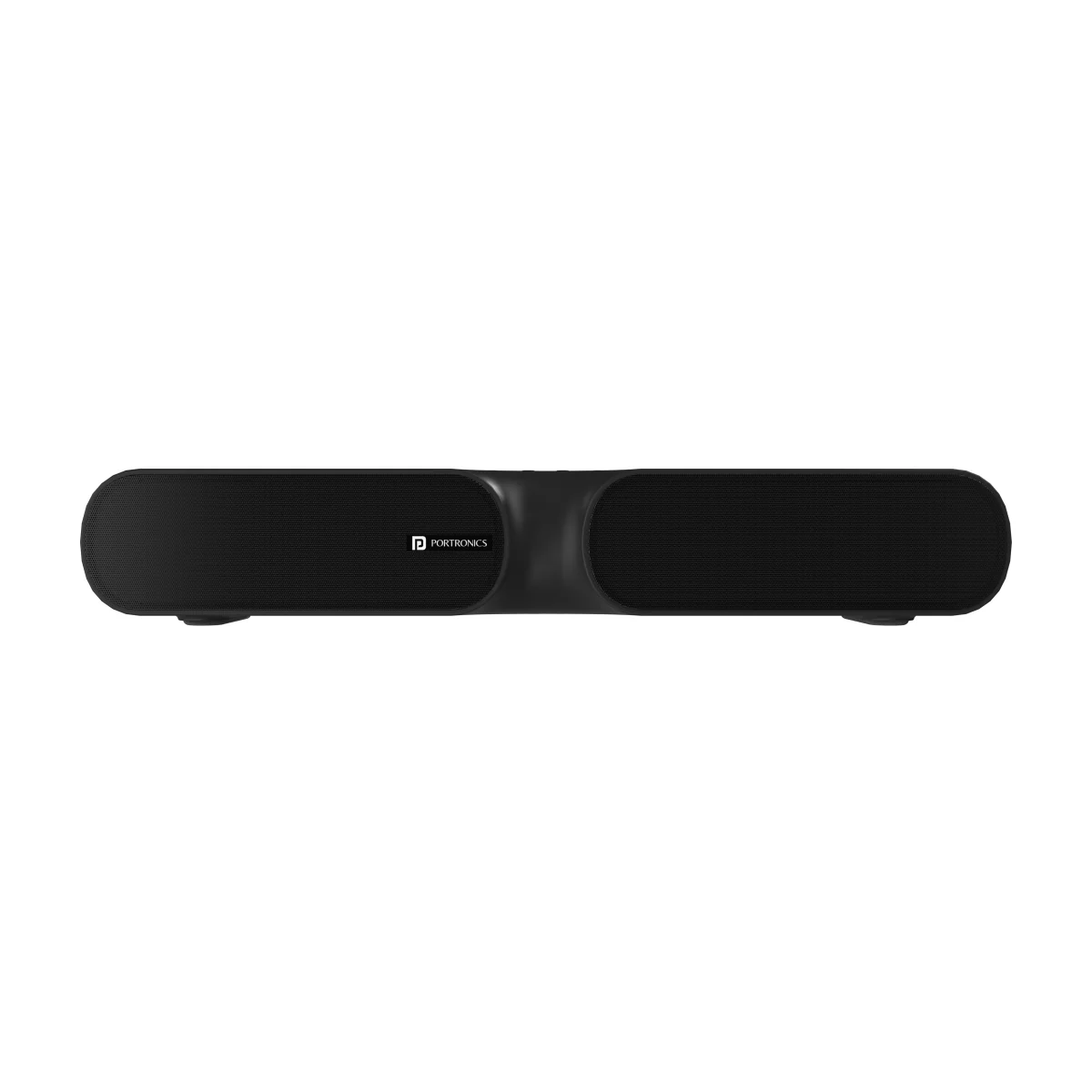
The Portronics Decibel 20 is a 16W wireless soundbar with Bluetooth, LED indicators, hands-free calling and multiple playback options. It supports Bluetooth, USB flash drive, Micro SD card, FM radio and 3.5mm AUX playback. It also supports TWS pairing with a second Decibel 20 speaker.
Quick Reference
| Feature | Details |
|---|---|
| Product | Portronics Decibel 20 |
| Product Code | POR 1734 |
| Audio Output | 16W |
| Bluetooth | 5.0 |
| Wireless Range | Up to 10 metres |
| Frequency Range | 40Hz–20kHz |
| Channel Separation | 35dB |
| Battery | 1800mAh lithium-polymer |
| Playback Modes | Bluetooth, FM, USB, Micro SD and AUX |
| TWS | Supported |
| LED Indicators | Yes |
| Playtime | up to 5 hours |
| Charging Time | Approximately 2.5 hours |
What's in the Box
| Item | Quantity |
|---|---|
| Decibel 20 Soundbar | 1 |
| Charging Cable | 1 |
| User Manual | 1 |
Controls & Indicators
| Control / Feature | Function |
|---|---|
| Power / Mode Button | Turns the soundbar on/off and switches playback mode |
| Play/Pause Button | Play/pause, answer/end calls, reject calls and start FM channel scanning |
| “+” Button | Next track; long-press to increase volume |
| “−” Button | Previous track; long-press to decrease volume |
| Charging Port | Connects the charging cable |
| AUX Port | Connects a compatible wired audio source |
| USB Port | Plays supported audio from a USB flash drive |
| Micro SD Slot | Plays supported audio from a Micro SD card |
| LED Indicator | Shows Bluetooth pairing, connection, power and charging status |
Powering On and Off
- Power ON: Press and hold the Power Button for about 3 seconds. The LED indicator turns on.
- Power OFF: Press and hold the Power Button for about 2 seconds.
- The manual states that the speaker may turn off automatically if it is not receiving a Bluetooth signal.
Bluetooth Pairing
- Turn on the Decibel 20.
- Enable Bluetooth on your phone, tablet, laptop or other compatible device.
- Search for Decibel 20 in the available Bluetooth devices.
- Select Decibel 20 to connect.
- Once connected, start playing audio on your device.
The LED flashing quickly during pairing and staying blue during normal playback. The wireless range is up to approximately 10 metres in suitable conditions.
Switching Playback Modes
Short-press the Mode Button to select the mode you want. The soundbar supports:
- Bluetooth
- FM radio
- USB flash drive
- Micro SD card
- AUX input
If audio does not play, check that the selected mode matches the connected source.
Music and Volume Controls
| Action | Control |
|---|---|
| Play / Pause | Short-press Play/Pause |
| Next Track | Short-press “+” |
| Previous Track | Short-press “−” |
| Volume Up | Press and hold “+” |
| Volume Down | Press and hold “−” |
Hands-Free Calling
The soundbar supports phone calls while connected over Bluetooth.
| Action | Control |
|---|---|
| Answer an incoming call | Short-press Play/Pause |
| End a call | Short-press Play/Pause |
| Reject an incoming call | Press and hold Play/Pause for about 2 seconds |
Call audio and microphone performance may vary depending on the connected phone and the surrounding environment.
USB Playback
- Insert a USB flash drive with supported music files into the USB port.
- Short-press the Mode Button to select USB mode if playback does not start automatically.
- Use the playback controls to manage your music.
Micro SD Playback
- Insert a Micro SD card containing supported music files.
- The speaker should begin playback automatically or when Micro SD mode is selected.
- If playback does not start, remove and reinsert the card and check that the files are supported.
AUX Playback
- Connect a compatible 3.5mm AUX cable from the soundbar to your phone, computer or other audio source.
- Select AUX mode using the Mode Button if needed.
- Start playback on the connected device.
FM Radio
Connect the charging cable to the charging port so it can act as an antenna and improve FM reception.
- Connect the cable to the soundbar's charging port.
- Turn on the soundbar.
- Short-press the Mode Button to select FM mode.
- Short-press Play/Pause to start automatic channel scanning.
- Wait for scanning to finish, then use the track controls to move between available stations.
Keep the cable connected during FM use for better reception.
TWS Stereo Pairing
TWS lets two Decibel 20 speakers play together for a stereo listening experience.
- Turn Bluetooth off on your phone or disconnect it from the first speaker.
- Turn on both Decibel 20 speakers.
- Press and hold the Power Button on one speaker to start TWS pairing, as described in the manual.
- Wait for the speakers to connect. The manual indicates a blue LED flash on both speakers after successful pairing.
- Turn Bluetooth on on your phone and connect to Decibel 20.
- Start playback.
Important: TWS pairing is only guaranteed to work reliably between two Decibel 20 units from the same production batch. Pairing speakers from different batches may fail or behave inconsistently. Check the batch/date code on both units if TWS pairing doesn't work.
Charging
- Connect the supplied charging cable to the soundbar's charging port.
- Connect the other end to a suitable USB power source.
- Allow sufficient time for charging before use.
Care & Safety
- Place the soundbar on a stable surface.
- Keep the product away from water, moisture and excessive heat.
- Keep the charging port clean and dry.
- Do not use a damaged cable or force a connector into the port.
- Turn the soundbar off when it is not in use.
- Do not attempt to repair or dismantle a defective unit yourself.
- Avoid prolonged listening at maximum volume.
Still stuck?
If the issue persists after performing all troubleshooting steps, please raise a support request.
Our support team will assist you further.
Support
- Visit: www.portronics.com
- Support Portal: support.portronics.com
Was this article helpful?
That’s Great!
Thank you for your feedback
Sorry! We couldn't be helpful
Thank you for your feedback
Feedback sent
We appreciate your effort and will try to fix the article