TABLE OF CONTENTS
- Product Overview
- Quick Reference
- What's in the Box
- Parts & Controls
- Connecting the Fan to Power
- Turning ON the Fan and Adjusting Speed
- Adjusting the Fan Angle
- Using the Fan on a Table
- Using the Fan in Hanging Mode
- Care & Maintenance
- Troubleshooting
- Important Usage Notes
- Still stuck?
Product Overview
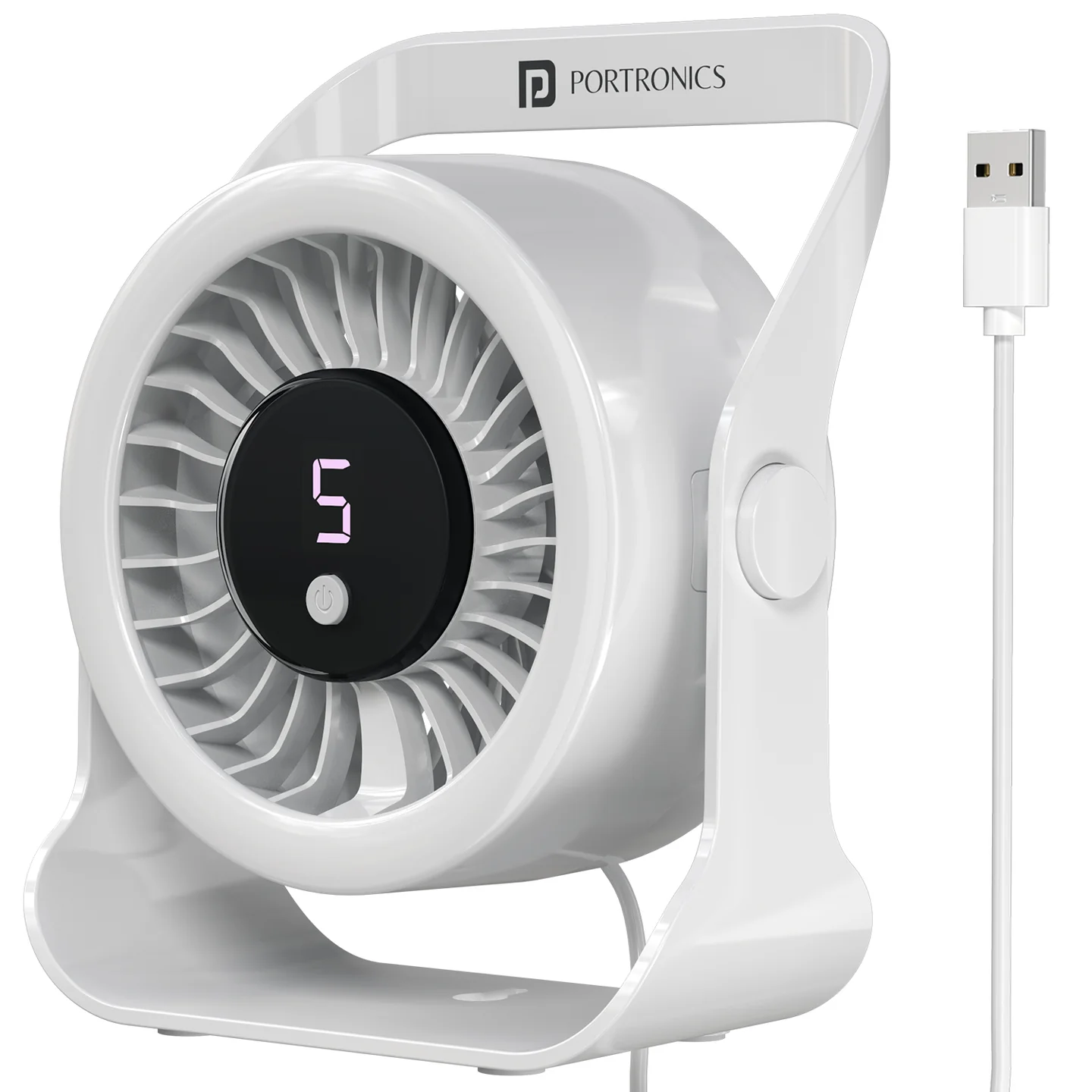
The Portronics Toofan X Lite (POR 3575) is a USB-powered table and hanging fan designed for desks, workstations, bedside tables, study areas and other personal cooling needs. It features a high-efficiency BLDC motor, a 7-blade airflow system, five adjustable speed levels and a 360° rotatable fan head.
The fan operates directly from a USB power source. It uses an integrated USB-A cable and does not require battery charging.
Quick Reference
| Feature | Details |
|---|---|
| Product | Portronics Toofan X Lite |
| Product Code | POR 3575 |
| Colour | White |
| Product Type | USB-Powered Table & Hanging Fan |
| Motor | High-efficiency BLDC |
| Maximum Speed | Up to 3200 RPM |
| Speed Levels | 5 adjustable levels |
| Blade Design | 7 blades |
| Fan Head | 360° rotatable |
| Power Input | DC 5V |
| Power Connection | USB-A |
| Cable | Non-detachable USB-A cable |
| Cable Length | 1.25m |
| Control | Single-button operation |
| Warranty | 12 months |
What's in the Box
| Item | Quantity |
|---|---|
| Toofan X Lite Fan | 1 |
| User Manual | 1 |
Parts & Controls
| Part | Function |
|---|---|
| Handle / Stand | Used as a table support and for hanging placement |
| Fan Blades | Generate airflow |
| Speed Display (1–5) | Shows the selected speed level |
| Power / Speed Button | Turns the fan ON and cycles through the five speed levels, then OFF |
| USB-A Cable | Supplies power from a compatible USB source |
| Rotatable Fan Head | Directs airflow towards the desired area |
Connecting the Fan to Power
- Locate the integrated USB-A cable.
- Connect it to a compatible 5V USB power source.
- Confirm that the connection is secure.
- Use a laptop, power bank, USB adapter or another suitable USB power source.
The fan requires a continuous USB power connection while operating. It is not a rechargeable battery-powered fan.
Turning ON the Fan and Adjusting Speed
Use the single Power / Speed Button to operate the fan.
| Button Action | Fan Setting |
|---|---|
| Press once | Fan ON — Speed Level 1 |
| Press again | Speed Level 2 |
| Press again | Speed Level 3 |
| Press again | Speed Level 4 |
| Press again | Speed Level 5 |
| Press again after Level 5 | Fan OFF |
The selected speed is shown on the display from 1 to 5.
The fan provides airflow up to 3200 RPM.
Adjusting the Fan Angle
The fan head can be rotated to direct airflow towards the desired area.
- Hold the fan securely.
- Gently tilt or rotate the fan head to the required position.
- Check that airflow is directed where needed before leaving the fan operating.
The product has a 360° rotatable head. Adjust the head gently; do not force it.
Using the Fan on a Table
- Place the fan on a flat, stable surface.
- Position the handle / stand so the fan is supported securely.
- Connect the USB-A cable to a 5V USB power source.
- Press the Power/Speed Button to turn ON the fan.
- Press the button repeatedly to select the required speed.
Using the Fan in Hanging Mode
The fan has an integrated handle for hanging placement.
- Choose a suitable, secure hanging point.
- Position the fan by its integrated handle.
- Check that the fan is supported securely before switching it ON.
- Connect the USB-A cable to a 5V USB power source.
- Press the Power / Speed Button to select the required speed.
Do not hang the fan from an unstable or unsuitable support.
Care & Maintenance
- Disconnect the USB power cable before cleaning or handling the fan.
- Keep the fan blades and airflow openings clear.
- Do not pull or twist the integrated USB cable forcefully.
- Keep the product in a clean, dry place when not in use.
- Avoid dropping or applying excessive force to the fan.
- Do not disassemble or modify the product.
Troubleshooting
| Issue | Possible Cause | Recommended Action |
|---|---|---|
| Fan does not turn ON | USB power source is not connected or supplying power | Check the USB connection and use a 5V USB source |
| Fan does not change speed | Button presses are not being registered | Press the Power / Speed Button repeatedly to cycle through Levels 1–5 |
| Fan does not turn OFF | OFF setting has not been reached | Press the button again after Level 5 |
| Airflow direction is unsuitable | Fan head needs adjustment | Gently tilt or rotate the head |
| Fan loses power | USB cable or power source connection is interrupted | Reconnect the integrated USB-A cable to a working USB power source |
Important Usage Notes
- The Toofan X Lite is USB-powered and requires a connected power source for operation.
- It has five speed levels.
- The fan head can rotate through 360°.
- The integrated USB-A cable is non-detachable.
- Use a compatible 5V USB power source.
Still stuck?
If the issue persists after performing all troubleshooting steps, please raise a support request.
Our support team will assist you further.
Support
- Visit: www.portronics.com
- Support Portal: support.portronics.com
Was this article helpful?
That’s Great!
Thank you for your feedback
Sorry! We couldn't be helpful
Thank you for your feedback
Feedback sent
We appreciate your effort and will try to fix the article